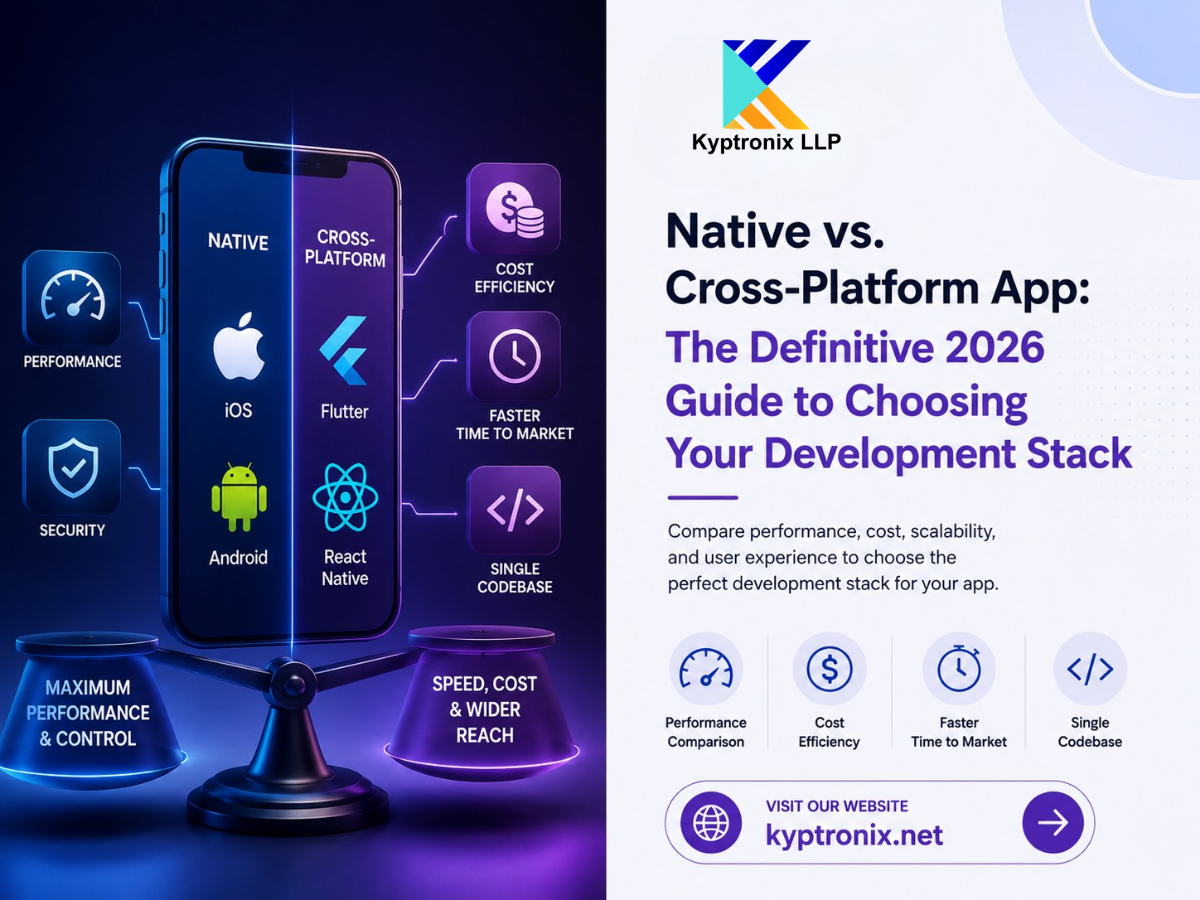
Native vs. Cross-Platform App: The Definitive 2026 Guide to Choosing Your Development Stack
Imagine you are standing at a major technical crossroads. You have a verified digital product concept, a clearly defined target market, and a set budget. But before your engineering team can write a single line of code, you must make a foundational product design decision, the one that will permanently dictate how fast your software scales, how much your development roadmap costs, and how users experience your brand.
That one question you must answer is: Should you build a native application or a cross-platform solution?
In the past, this technical debate was fairly straightforward. If you wanted crisp animations, flawless background execution, and maximum stability, you chose native tools. If you were short on cash and needed to validate an idea quickly, you chose a cross-platform framework and accepted that your app would feel a bit sluggish or look slightly unpolished.
However, as we move through 2026, those old software boundaries have completely dissolved. The global mobile market has grown into a massive ecosystem serving over 6.3 billion smartphone users worldwide. At the same time, engineering frameworks have advanced dramatically. Choosing between a Native and a Cross-Platform App is no longer simply an evaluation of “good vs. bad” performance. Instead, it is a strategic business decision focused on achieving the perfect alignment among your feature requirements, timeline, team's existing skill sets, and long-term scaling vision.
This deep-dive guide breaks down the technical architectural realities of both execution tracks to help you choose the ideal path for your enterprise. But before that, let's understand the meaning of both.
Defining the Contenders: Mobile Architectures in 2026
To make an objective comparison, let us first establish exactly what these terms mean in today's software engineering landscape.
1. The Native Application Architecture
Native development means building a standalone app for each operating system using its official, platform-sanctioned programming language and software development kit (SDK).
- For iOS: Developers write clean, compiled code using Swift inside Apple's native Xcode integrated development environment.
- For Android: Developers build software using Kotlin (or occasionally legacy Java) inside Google's Android Studio ecosystem.
Because a native app is written entirely in the platform's native language, it compiles directly down to machine code. It communicates directly with the underlying operating system kernel with zero translation layers, zero third-party wrappers, and zero structural abstractions between your business logic and the physical smartphone hardware.
2. The Cross-Platform Framework Environment
Cross-platform development takes a completely different architectural approach. Instead of building two separate applications, your software engineers write a single, unified codebase that contains the app's shared visual layout, state management, and business logic. This single codebase is then compiled and deployed to both iOS and Android devices simultaneously.
The modern cross-platform landscape is heavily dominated by two premier, production-ready ecosystems:
- Flutter (Created by Google): Uses the strongly typed Dart programming language and a highly optimized custom graphics engine called Impeller to paint its own user interface components directly onto a digital canvas.
- React Native (Created by Meta): It uses JavaScript or TypeScript to dynamically bind your app logic to actual platform-native user interface components under the hood.
Deep Dive: Native App Development & Core Strengths
When engineering teams select a native approach, they are prioritizing maximum control, elite optimization, and immediate access to cutting-edge software features.
Uncompromising Native App Development Benefits
Building natively ensures your digital product can push physical hardware and operating system capabilities to their absolute limits without encountering architectural friction.
- Flawless OS Feature Integration: Whenever Apple or Google introduces a new OS feature at their annual developer conferences, such as advanced Apple Intelligence contexts, system-level App Intents, interactive Live Activities, or custom Dynamic Island layouts, native developers can implement those features into production code on day one. Cross-platform alternatives typically must wait months for community developers to build custom open-source bridge libraries to match those updates.
- Deep Hardware Level Access: If your application relies on highly continuous or low-latency communication with physical smartphone hardware components, such as low-energy Bluetooth (BLE) medical sensors, near-field communication (NFC) payment systems, multi-camera video streams, background GPS fitness tracking, or real-time biometrics, native code offers the most stable and predictable execution environment.
- Direct Security and Compliance Control: Native architectures give you absolute, granular control over your local cryptographic storage layers. By interacting directly with secure hardware environments like Apple's Secure Enclave or Android's StrongBox Keystore, native development minimizes your reliance on third-party dependencies. This makes it much easier to clear complex regulatory audits like HIPAA for medical data or PCI-DSS for financial platforms.
Deep Dive: Cross-Platform Development & Engineering Shifts
Modern cross-platform mobile frameworks have undergone a technological revolution over the last few years, fundamentally changing the economics of mobile product creation.
The Modern Framework Revolution: Flutter vs React Native 2026
If your perception of cross-platform apps is rooted in old hybrid web-view tools from a decade ago, the modern landscape will surprise you. Let us look at how the two leading ecosystems have eliminated classic performance bottlenecks:
Take a look at how these two leading cross-platform environments structure their internal communication and rendering engines to achieve smooth performance:
- React Native's Architecture Overhaul: Meta has officially stabilized its highly anticipated “New Architecture” across the global developer ecosystem. The slow, old asynchronous JSON bridge that used to cause noticeable animation stuttering has been completely replaced by the JavaScript Interface (JSI) and the Fabric renderer. This allows your JavaScript code to communicate directly and synchronously with native platform UI components, closing the visible performance gap for standard business apps.
- Flutter's Pixel-Perfect Rendering Strategy: Google has completely rolled out its new Impeller graphics rendering framework, entirely replacing the legacy Skia engine on both iOS and Android. Impeller pre-compiles all visual graphics shaders directly onto the device's GPU. This eliminates frustrating first-run animation stutters and delivers a fluid, rock-solid 120 frames-per-second scrolling experience that feels beautifully natural on modern high-refresh-rate smartphone displays.
Because of these massive technological improvements, cross-platform frameworks now capture over 40% of all newly launched mobile applications, offering businesses a highly stable path to deliver high-quality digital experiences.
Head-to-Head Comparative Analysis
To help you make an informed decision for your upcoming project, let us compare a Native vs. Cross-Platform App across the five critical dimensions that matter most to business stakeholders and tech leadership:
1. Mobile App Performance Comparison
When it comes to pure mathematical processing power, native development still holds the definitive advantage. Because it compiles directly to native machine code with zero abstraction layers, using significantly less CPU overhead and system memory.
For a standard content-driven application, such as an e-commerce storefront, a corporate SaaS dashboard, or a localized booking platform, the modern rendering engines in Flutter and React Native deliver a performance profile that is completely indistinguishable from native apps to the average user. However, if your software needs to process complex, high-performance workloads, such as real-time 4K video editing filters, complex on-device machine learning models, or heavy 3D augmented reality environments, native code remains essential to prevent battery drain and frame drops.
2. App Development Cost Efficiency
Managing two independent engineering tracks (one team of iOS Swift engineers and one team of Android Kotlin developers) means you are essentially funding two complete software development lifecycles in parallel. Features must be planned, designed, coded, and tested twice.
Opting for a cross-platform framework provides immense app development cost efficiency. Because up to 85% of your core source code is shared completely across both operating systems, you only need to recruit, manage, and pay a single unified team of developers. Industry data indicates that this unified workflow reduces initial production budgets by 30% to 40% compared to a dual-native build strategy.
3. Time to Market for Mobile Apps
In a hyper-competitive market, being first to validate an idea with real users is an immense strategic advantage. Building separate native apps naturally extends your timeline because your project managers spend extra time coordinating feature parity across two distinct codebases.
Cross-platform frameworks dramatically accelerate your time to market for mobile apps. Features like “Hot Reload” allow your developers to modify code and see the visual results instantly on test devices without waiting for slow compilation cycles. A high-fidelity, cross-platform Minimum Viable Product (MVP) can frequently launch in as little as 6 to 10 weeks, allowing your company to secure market share and gather user feedback months ahead of a native development track.
4. User Experience Optimization
Providing a stellar user experience means respecting the subtle visual conventions of each operating system. iOS users expect specific navigation swipe gestures, crisp typography hierarchies, and elegant top navigation bar behaviors. Android users are accustomed to distinct back-button actions and material design patterns.
- The Native Advantage: Native apps pull their user interface components straight from the underlying operating system, ensuring they instantly achieve optimal user experience optimization. The app naturally feels like a built-in extension of the phone itself.
- The Cross-Platform Approach: Achieving this same level of platform-specific polish requires extra deliberate styling work from your design team. Because Flutter draws its own matching widgets from scratch, your developers have to write custom platform checks to ensure the layout shifts correctly to match each device's native expectations.
5. Long-Term App Maintenance
The cost of an application does not stop when it hits the app stores. You must plan for ongoing, long-term app maintenance to keep your product stable as technology evolves.
Every single time Apple or Google rolls out a major operating system update, code dependencies can break. With a native architecture, you are interacting directly with the core platform APIs, meaning your update path is highly stable and predictable. With a cross-platform approach, you are introducing a permanent third-party dependency. If a major OS update breaks a core framework library, your internal team is dependent on the open-source community or tech giants to publish a patch. Over a 5-year product lifecycle, navigating framework updates across a cross-platform app can sometimes add unexpected engineering churn.
Summary Comparison Matrix
Here is a side-by-side breakdown of how these two development paths compare across key technical and business metrics:
| Strategic Business Factor | Native App Development (Swift / Kotlin) | Cross-Platform Frameworks (Flutter / React Native) |
|---|---|---|
| Codebase Architecture | Dual Codebases (Two separate repositories) | Single Unified Codebase (Shared code) |
| Development Team Size | Requires separate iOS and Android specialists | Requires a single unified engineering team |
| Graphics & UI Rendering | Utilizes built-in native platform view engines | Uses custom GPU painters (Impeller) or bridges |
| App Download Package Size | Optimized and lean (Typically under 15MB) | Slightly larger due to bundled engine runtimes |
| API / OS Feature Access | Immediate, native day-one integration | Dependent on the framework bridge package updates |
The 5-Step Strategic Decision Blueprint
If you are trying to determine which development model perfectly fits your current business objectives, walk your leadership team through this structured evaluation process:
1. Evaluate Your Core Feature Dependencies: Identify Core Technical Requirements
Analyze your product roadmap line by line. Does your application absolutely depend on low-latency hardware access, continuous background syncing, or complex device sensor integration? If yes, native development is the safest choice to avoid technical debt. If your app is primarily focused on displaying content, processing forms, and handling e-commerce payments, a cross-platform framework will work perfectly.
2. Assess Your Production Budget and Timeline: Review Financial Runway
Be deeply honest about your financial runway. If you have limited capital or are working under a strict deadline to pitch early results to venture investors, prioritize a cross-platform approach to maximize your financial runway and speed up development.
3. Audit Your Team's Existing Technical Skills: Audit Engineering Resources
Look closely at the talent pool you already have in-house. If your company already employs a strong team of web developers who are experts in React and TypeScript, choosing React Native lets you leverage those existing skills and upskill your team within weeks.
4. Map Out Your Long-Term Product Scaling Vision: Define the Product Lifecycle
Decide whether you are building a temporary prototype to quickly validate a brand-new market concept or whether you are investing in a long-term flagship digital asset that your company plans to continuously scale for the next ten years. Flagship enterprise products often benefit from native architectures to minimize long-term dependencies on framework upgrades.
5. Consult an Experienced Product Delivery Partner: Consult Technical Specialists
Before locking in your technology stack, sit down with a multi-disciplinary development agency. A trusted engineering partner can analyze your specific feature requirements and help you weigh the options objectively based on current market data.
Conclusion: Let Us Build Your Next Digital Innovation
In the debate between a Native vs. Cross-Platform App, there is no single “correct” technology stack. The real winner is simply the approach that solves your users' problems efficiently while maximizing your business resources.
If your goal is to build an advanced, high-performance platform that integrates deeply with mobile hardware and demands absolute security, investing in native development is an excellent choice. On the other hand, if you want to optimize your budget, streamline your engineering team, and get your product into the hands of both iOS and Android users as fast as possible, modern cross-platform tools are incredibly powerful.
At Kyptronix, we cut through the technical noise. We don't believe in a one-size-fits-all approach to software development. Our global team of expert product managers, UI/UX designers, and full-stack mobile engineers has years of experience delivering both top-tier native applications and high-performance cross-platform software. We take the time to deeply understand your business goals, analyze your technical requirements, and help you choose and execute the perfect technology stack to drive real business growth.
Ready to turn your app concept into a highly scalable reality? Connect with the digital product experts at Kyptronix.net today to schedule your comprehensive technical consultation.
Frequently Asked Questions (FAQs)
For 90% of standard business applications, such as e-commerce stores, social media feeds, or organizational tools, modern users cannot tell the difference. Thanks to advanced frameworks like Flutter's Impeller engine and React Native's Fabric architecture, cross-platform apps now look and feel completely native. The difference only becomes noticeable in apps that require intense 3D graphics, heavy video rendering, or real-time hardware tracking.
Yes, in almost all scenarios. Native development requires you to build and maintain two completely separate codebases using different languages (Swift and Kotlin). This means you need to hire and manage two distinct engineering teams, which typically increases your initial development and testing costs by 30% to 50% compared to a single cross-platform codebase.
Both are excellent, but they shine in different scenarios. Flutter is highly recommended if your brand requires an intricate, highly customized design that must look identical across every single device type. React Native is often the ideal choice if you want your app to use native system components out of the box, or if your team already has deep JavaScript or React expertise.
Yes, cross-platform apps generally have a slightly larger initial download size. This is because the app must bundle its own framework runtime or rendering engine directly inside the package. A simple Flutter app typically adds about 4 to 8 megabytes of overhead compared to an identical native application. However, for most modern smartphones, this minor difference is negligible to the end user.
You cannot automatically convert or translate cross-platform code into native languages like Swift or Kotlin. If your application outgrows its cross-platform framework due to extreme performance or hardware access needs, your team will need to rewrite the frontend interface from scratch. However, you can often preserve and reconnect your existing backend databases and server APIs.
While many massive financial institutions still build natively to have absolute, granular control over low-level operating system security layers and biometric authentication, it is entirely possible to build highly secure FinTech apps using cross-platform tools. Doing so simply requires a disciplined approach to managing third-party dependencies and performing regular external security audits.
Kotlin Multiplatform is a modern hybrid approach that has gained massive traction. Unlike traditional cross-platform frameworks that control your entire user interface, KMP allows your team to write your app's core business logic, data models, and API integrations just once. You then share that backend logic while building completely separate, native user interfaces for iOS and Android. This provides a brilliant middle ground between code reuse and native performance.
Native apps can implement new operating system features on the exact day Apple or Google releases them. Cross-platform frameworks require their core maintenance teams or the open-source community to update the framework's internal wrappers first. While standard features are updated very quickly, niche or brand-new OS capabilities can take several weeks to become accessible in cross-platform tools.
Native code interacts directly with the operating system kernel with no intermediate translation layers. This allows native developers to write highly optimized background code, fine-tune memory allocation, and tightly control CPU usage patterns. This level of optimization is crucial for apps that run continuously in the background, like fitness trackers or GPS navigation tools, to prevent rapid battery drain.
Absolutely. Offline functionality depends entirely on how your software architects design your local data storage layer, not on the framework you choose. Both native and cross-platform applications can leverage secure local databases like SQLite or Realm to store data on the device and sync it automatically with cloud servers once an internet connection is re-established.